eg777 App Download

Download the eg777 App — Play Slots, Bet on Sports & More From Your Phone

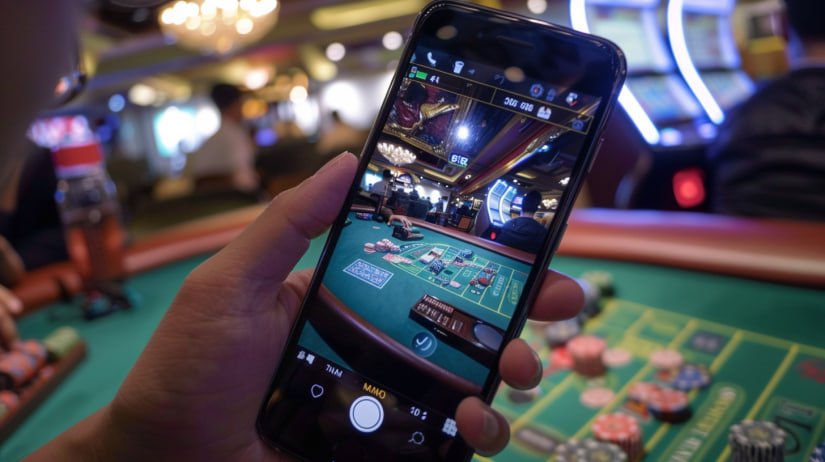
Get the eg777 mobile app on Android or iOS and carry your entire gaming experience in your pocket. Slots, live casino, sports betting, eBingo — all running smoothly on your smartphone, with bets and transactions handled in Philippine Peso.


eg777
Download Options

Three Ways to Access eg777 on Mobile

Whether you prefer an app or just playing through your browser, eg777 works on any device. Pick the option that suits you best.

Android APK
Direct APK Download

Download the eg777 APK file directly from this page and sideload it onto any Android smartphone or tablet. No Google Play Store required — the process takes just a few minutes and works on most Android devices running version 6.0 and above.

Register to Download
iOS App
iPhone & iPad

iPhone and iPad users can access eg777 through the dedicated iOS app. After registering your account, follow the iOS installation instructions to get the app set up on your device. The eg777 app runs smoothly on iOS 13 and later versions.

Register to Download
Mobile Browser
No Download Needed

Don't want to install an app? That's completely fine. The eg777 platform is fully optimised for mobile browsers. Open Chrome, Safari, or any modern browser on your smartphone, go to eg777.my, and you'll get a smooth, responsive experience without downloading a thing.

Play in Browser
Android Guide

How to Install the eg777 Android APK

Installing the eg777 Android app is straightforward. Because the APK is downloaded directly rather than through the Google Play Store, you'll need to enable one setting on your phone first. Here's the full process step by step.

1
Create or Log In to Your eg777 Account

You'll need an active eg777 account to access the APK download link. If you haven't registered yet, sign up for free — it only takes a few minutes and your account is immediately active once verified.

2
Enable "Install from Unknown Sources"

On your Android device, go to Settings → Security (or Apps & Notifications on newer Android versions) and turn on the option to install apps from unknown sources or allow your browser to install APKs. This is a standard step for any app installed outside the Play Store.

3
Download the eg777 APK File

Once logged in, find the download link in your eg777 account dashboard or on this page. Tap the link on your Android device and the APK file will download to your phone's storage — usually to the Downloads folder.

4
Open the APK and Tap Install

Open your file manager or notification tray, locate the downloaded eg777 APK, and tap on it. Your Android device will prompt you to confirm the installation. Tap Install and the process completes in seconds.

5
Launch eg777 and Log In

Once installed, the eg777 icon will appear on your home screen or app drawer. Open it, log in with your account details, and you're in the full game lobby — ready to play slots, bet on sports, or join a live casino table.

eg777

Safe to Install. The eg777 APK is the official app distributed through the eg777 platform. Always download it from the official eg777 website or your account dashboard — never from third-party sources. The app does not contain malware or unauthorised code.

eg777
iOS Installation

Getting eg777 on Your iPhone or iPad

iOS users have two ways to access eg777 on their Apple devices. The first and quickest option is to open eg777.my directly in Safari — the mobile browser version of the platform is fully responsive and works without any installation whatsoever. This is a great option if you want to start playing immediately without going through an app setup.

If you prefer the native app experience on your iPhone or iPad, the eg777 iOS app is available through the standard iOS app installation process. Log in to your eg777 account and follow the iOS-specific instructions provided in your account area to complete the installation. The app runs on iOS 13 and later, covering most iPhones from the past several years and all current iPad models.

Once installed, the eg777 iOS app gives you a clean, fast interface with quick access to all game categories — slots, live casino, sports betting, eBingo, and more. Push notifications can be enabled to alert you to new promotions or the start of live events you've bookmarked, keeping you in the loop without having to check the platform manually.

Fast App Launch

The eg777 iOS app opens directly to the game lobby with no browser loading delay.

Biometric Login

Log in to eg777 using Face ID or Touch ID on supported iPhone models for faster, more secure access.

App Features

What You Get With the eg777 Mobile App

The eg777 app isn't just a scaled-down version of the website — it's a purpose-built mobile experience designed for Filipino players who want quick, smooth access to every part of the platform from their phone. Here's what the app brings to the table.

Full Game Lobby Access

Every game category is available in the eg777 app — slots, live casino, sports betting, eBingo, poker, and esports. Nothing is locked to desktop-only access.

Faster Loading Than Browser

The eg777 app loads game assets more quickly than a mobile browser session because it runs natively on your device. Even on a standard mobile data connection, games open without noticeable delay.

PHP Wallet Management

Check your eg777 wallet balance, review transaction history, and initiate withdrawals — all in Philippine Peso, all from the app without switching to a desktop.

OTP & SSL Security

The eg777 app maintains the same SSL encryption and OTP login verification as the desktop platform, keeping your account protected on mobile just as securely as anywhere else.

Push Notifications

Enable notifications in the eg777 app to receive updates about active promotions, live match alerts for your bookmarked sports events, and account-related activity in real time.

Automatic Updates

The eg777 app checks for new versions and prompts you to update when one is available, ensuring you always have access to the latest features, security patches, and game additions.

App vs. Browser — Quick Comparison

Feature eg777 App Mobile Browser
Installation required Yes — quick setup No
Game loading speed Faster Standard
Biometric login support Yes Browser dependent
Push notifications Yes Not available
Full game lobby Yes Yes
PHP wallet access Yes Yes
Offline caching Partial None

Our recommendation: If you play on eg777 regularly, installing the app is worth the two-minute setup. If you're just trying things out or don't want to install anything, the browser version works just as well for casual sessions.

System Requirements

Does Your Device Support the eg777 App?

The eg777 app is designed to run on a wide range of devices, including older smartphones commonly used in the Philippines. Here are the minimum requirements for each platform.

Android Requirements
OS Version Android 6.0 or later
Storage ~80 MB free space
RAM 2 GB minimum
Connection 4G / WiFi recommended
File Type APK sideload
iOS Requirements
OS Version iOS 13 or later
Storage ~90 MB free space
Devices iPhone 6S and newer
iPad All current iPads
Connection 4G / WiFi recommended

Most Android smartphones sold in the Philippines in the past five years meet these requirements. If your device runs Android 6.0 or higher, the eg777 app should install and run without issues.

eg777

Having Trouble Downloading?

If the APK doesn't install correctly or the iOS app isn't working as expected, here are a few things to check:

  • Make sure "Install from Unknown Sources" is enabled in Android settings
  • Check that you have enough free storage on your device
  • Try downloading the APK again on a stable WiFi connection
  • Clear your browser cache before re-attempting the download
  • Contact the eg777 support team through your account dashboard if issues persist
Why Go Mobile

Gaming on eg777 Was Made for the Filipino Mobile Player

Most Filipino players access online platforms through their phones rather than a desktop or laptop. eg777 is built with that in mind from the ground up.

Optimised for Mobile Data

The eg777 app is lightweight and loads efficiently even on 4G connections common across Metro Manila, Cebu, and Davao.

Play Between Activities

Quick sessions during breaks, commutes, or downtime — the eg777 app makes it easy to pick up and put down gaming whenever you like.

GCash & Maya Ready

Fund your eg777 account using GCash, Maya, or Philippine bank transfers — the same services every Filipino already uses on their phone.

Secure on Every Device

Your eg777 account has the same SSL and OTP protection whether you're on the app or the browser — security doesn't drop on mobile.

FAQ

Common Questions About the eg777 Download

Yes, the eg777 app is completely free to download and install on both Android and iOS. There is no charge for the app itself. You'll need to create a free eg777 account and fund your wallet in Philippine Peso before you can place real-money bets or play for real, but browsing the platform and exploring the game lobby doesn't cost anything.

Android devices are set by default to only install apps from the Google Play Store. Because the eg777 APK is distributed directly from the platform rather than through Google Play, you need to temporarily allow installations from other sources. This is a standard security step built into Android — it simply means you're consciously choosing to install an app from outside the Play Store. You can re-disable the setting after installation if you prefer.

The official eg777 APK available through this page and your eg777 account dashboard is safe to install. It does not contain malware, spyware, or unauthorised software. As a precaution, always ensure you're downloading from the official eg777 website and not a third-party site claiming to offer the app. If your device's antivirus raises a generic alert about unknown APKs, this is a routine warning for any app installed outside Google Play — it doesn't mean the file is harmful.

Absolutely. The eg777 platform is fully accessible through any modern mobile or desktop browser. Just navigate to eg777.my on Chrome, Safari, Firefox, or any standard browser, and you'll get the complete gaming experience without installing anything. The browser version includes all game categories — slots, live casino, sports betting, eBingo, and more — and works on both Android and iOS devices.

The eg777 app will notify you within the app when an update is available. For Android users, you can also download the latest APK from this page or your eg777 account and install it over the existing version — your account data and settings will be preserved. For iOS users, updates are delivered through the same installation channel used for the original app setup. Keeping the app updated ensures you have the latest games, features, and security improvements.

No. Your eg777 account works across all platforms — the Android app, the iOS app, and the browser version all use the same login credentials. Your wallet balance, betting history, VIP tier, and game progress are all tied to your single eg777 account and sync automatically regardless of which device or platform you use to log in.

Get Started on eg777 Today

Register your free account, download the eg777 app for Android or iOS, and start playing — slots, sports betting, live casino, and more, all in Philippine Peso.

eg777 is for players aged 21+ only. Please play responsibly and within your personal budget.